Free to use
CIS refund calculator
If your contractors take CIS from your pay, HMRC may owe you money back. Work out your CIS refund for the 2025/26 tax year.
Your estimated refund for 2025/26
£–- CIS deductions
- –
If you have other income as well, your refund is likely to be smaller.
Your estimated refund
£–
CIS in Kletta
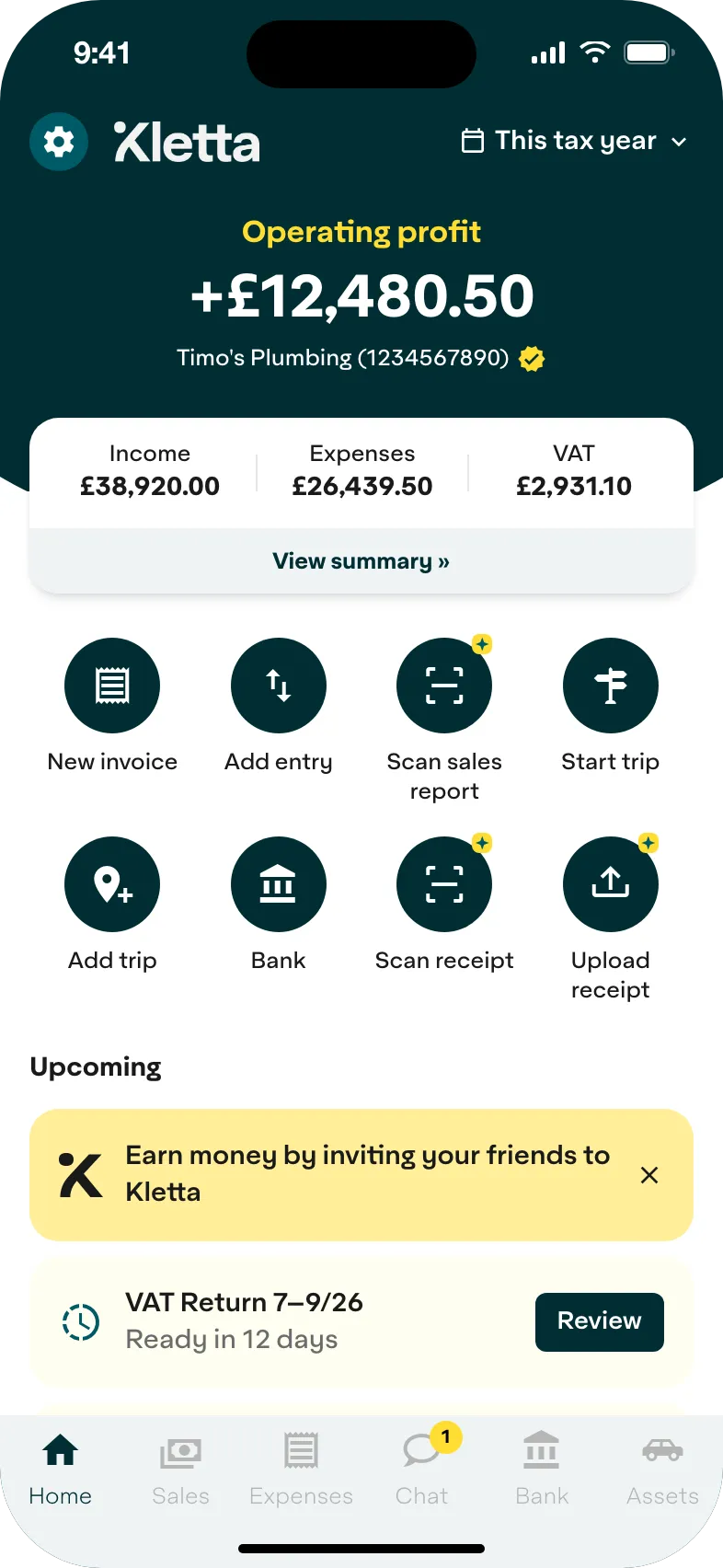
Your CIS refund, tracked all year
Kletta builds your tax return as you work. When the tax year ends, there’s nothing to chase: no statements to dig out, no receipts to sort and no accountant to wait for. Send your return to HMRC from your phone and your refund is on its way.
- Snap your CIS statements and receipts as you go
- Your tax return is ready on 6 April
- Send it to HMRC from your phone
£200,000+
CIS deductions tracked since April 2026
8,000+
sole traders use Kletta
260,000+
receipts kept safe
How is a CIS refund worked out?
- 1
20% comes off every invoice
Before you’re paid, your contractor sends 20% of the labour on your invoice to HMRC, or 30% if you’re not registered. Materials, VAT and plant hire are left alone.
- 2
HMRC works out what you really owe
After 5 April, your tax return shows your actual profit: everything you were paid, minus materials and expenses. Your Income Tax and National Insurance are based on that figure, not on the 20%.
- 3
You get the difference back
If your contractors sent HMRC more than your tax bill came to, the extra comes back to you as a refund.
How do I claim my CIS refund?
- 1
Get your UTR
If you’ve never sent a tax return, register for Self Assessment first. HMRC then sends you your Unique Taxpayer Reference.
- 2
Gather your CIS statements
You need the monthly payment and deduction statement from each contractor. Ask them for any that are missing.
- 3
File your tax return
After 5 April, put your total pay before deductions as income and what contractors took as CIS deductions. Online returns for 2025/26 are due by 31 January 2027.
- 4
HMRC pays you back
HMRC takes your CIS deductions off your tax bill and pays the rest into your bank account, as long as your bank details are on your return.
With Kletta, your return is ready on 6 April. Send it from your phone and get your refund on its way.
What are the CIS deduction rates?
- 20%
- Registered for CISThe standard rate, once you’re registered and your contractor can verify you.
- 30%
- Not registeredWhat’s taken if you aren’t registered, or if your contractor can’t verify you.
- 0%
- Gross payment statusNothing comes off your pay, so you pay all your tax when you file and there’s no CIS refund to claim.
What does the estimate leave out?
- Any other income, like a job, a pension or rent
- Student loan repayments and payments on account
- Class 4 National Insurance stopping once you reach State Pension age
Where the figures come from
CIS refund questions
How far back can I claim?
Up to four years after the end of the tax year, which means 2022/23 can still be claimed until 5 April 2027. Within 12 months of the filing deadline you can correct your return online. After that, you write to HMRC and claim overpayment relief.
Start this year right: Kletta builds your tax return from your records as you go. Get the Kletta app
How long does a CIS refund take?
HMRC doesn’t give one fixed time. Its “Check when you can expect a reply from HMRC” tool on GOV.UK shows how long it’s currently taking, and it’s updated every week.
Kletta shows your likely refund all year, so you know roughly what’s coming. See your refund in Kletta
What expenses can I claim?
The costs of running your business, such as tools, protective clothing like safety boots and hard hats, business travel, your work phone, insurance and training courses related to your work. Materials you buy for a job count too. Anything personal doesn’t.
Kletta’s checklist reminds you of the expenses subcontractors often forget to claim. Track your expenses in Kletta
What if I’ve lost a CIS statement?
Ask the contractor for a replacement. If you can’t get one, for example because they’ve gone out of business, write to HMRC with your details, the contractor’s details and the dates you were paid.
Upload each statement to Kletta when it arrives and you won’t have to chase one again. Keep your statements in Kletta
What if I’m not registered for CIS?
Contractors take 30% instead of 20%. It still counts towards your tax bill, so you claim back any overpayment on your tax return in the same way. Registering means only 20% is taken from then on.
Kletta records what your contractors take, whether it’s 20% or 30%. Track your CIS in Kletta
Can a limited company use this calculator?
No, it’s for sole traders. A limited company sets its CIS deductions against its PAYE bill through payroll, and claims a refund of anything left over after the end of the tax year.
Is a CIS tax rebate the same as a CIS refund?
Yes. People call it both, but it’s the same money: the tax HMRC pays back when your CIS deductions come to more than you owe.
Whatever you call it, Kletta shows yours building up through the year. Get the Kletta app
Is the calculator’s figure what HMRC will pay me?
Not to the penny. It’s an estimate based on what you put in, not tax advice, and HMRC works out the actual figure when you file.
Kletta builds your tax return from your actual records, so HMRC works from the right numbers. File with Kletta
More on CIS
CIS bookkeeping and tax refunds
How Kletta records your CIS deductions and shows your likely refund throughout the year.
Read the guide
CIS subcontractor bookkeeping: what to record and when
What CIS subcontractors should record and when: gross pay, materials, CIS deducted, payment and deduction statements, expenses and MTD.
Read the guide
How to record CIS deductions for Making Tax Digital
Working under CIS? Learn how to record gross income, materials, CIS deductions and net payments correctly for Making Tax Digital.
Read the guide