Self Assessment software keeps your income, expenses and receipts in one place during the year, so your tax return comes from records you have already kept. If you are self-employed with regular income and expenses, it saves you rebuilding a year of figures in January. If Making Tax Digital applies to you, you need it. If you only have a small side income, you may not need it at all.
What is Self Assessment?
Self Assessment is the system HMRC uses to collect Income Tax from people whose income is not fully taxed automatically. This usually includes sole traders, landlords and people with other untaxed income (GOV.UK).
For a sole trader, your tax return reports your business income, your allowable expenses and your profit, and works out the Income Tax and National Insurance you owe. To complete it you usually need:
- your Unique Taxpayer Reference (UTR)
- records of your business income, such as sales, invoices and cash payments
- records of your business expenses, with receipts
- details of any other income, such as rent or savings interest
- details of tax you have already paid, such as payments on account
What Self Assessment software does
Self Assessment software helps you:
- record income and invoices as they happen
- add expenses and keep the receipts
- sort expenses into the categories on the tax return
- see an estimate of the tax you owe
- build your tax return from those records
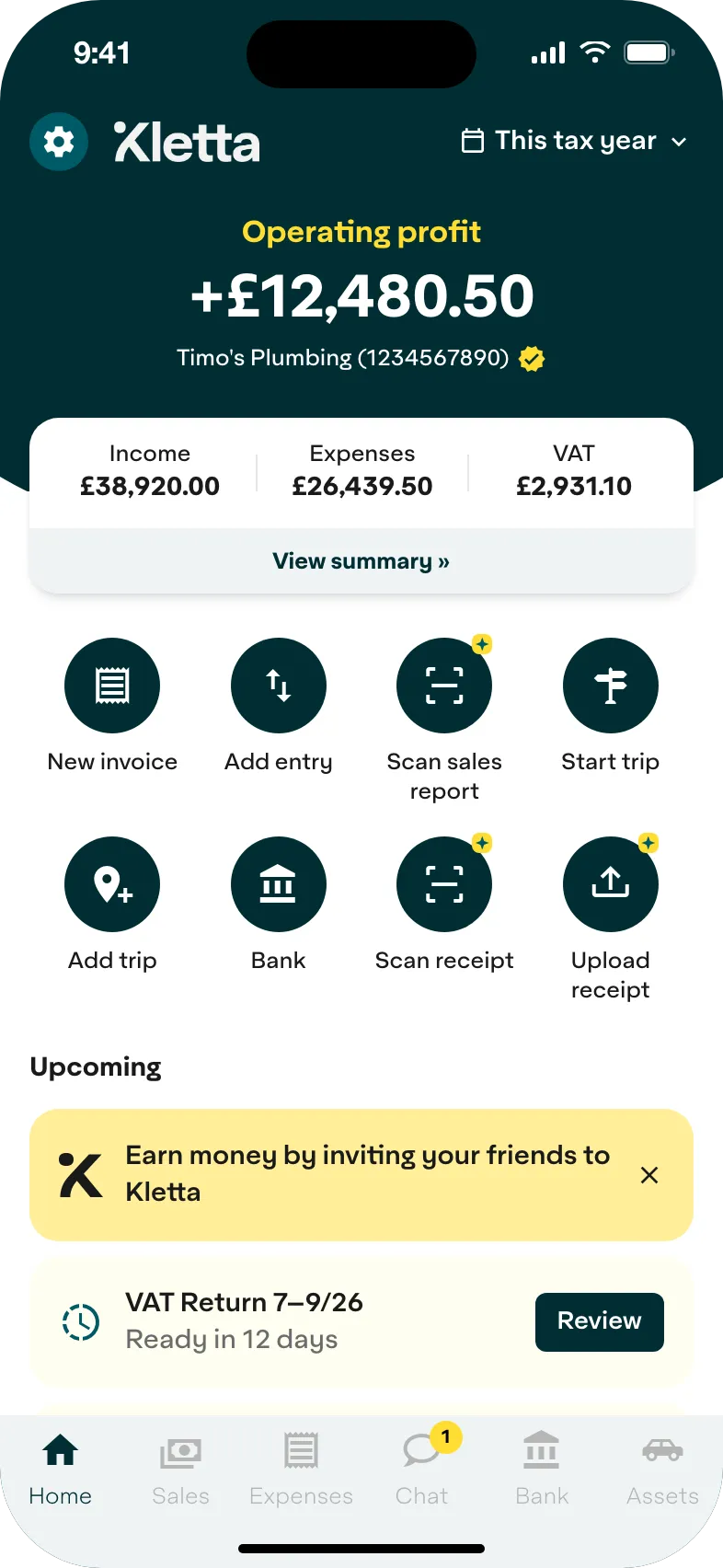
You can do most of this from your phone, so a receipt goes into your records when you buy something, not months later. Software that works with Making Tax Digital also sends your quarterly updates and your tax return to HMRC.
Kletta builds your Self Assessment tax return from the income, invoices and receipts you add during the year. You check it, then send it to HMRC from the app. Solo is free to use, and you pay a Self Assessment filing pass of £29 when you send your return. Duo costs £100 a year with filing included, and it adds property income.
Self Assessment software, spreadsheets or an accountant
A spreadsheet works for very simple affairs. If Making Tax Digital applies to you, you will need bridging software to send the figures to HMRC. Our guide to spreadsheets and Making Tax Digital explains how that works.
An accountant makes sense if your tax affairs are complicated, and you can still use software to keep your own records. See what an accountant costs a sole trader.
Software suits sole traders with straightforward affairs who want to keep their own books.
Records you need to keep
HMRC requires sole traders and business partners to keep records of business income and expenses for their Self Assessment tax return. You must normally keep them for at least five years after the 31 January submission deadline of the relevant tax year (GOV.UK). HMRC can ask to see them.
Making Tax Digital and Self Assessment
Making Tax Digital doesn’t replace your tax return. It adds quarterly updates before it. From 6 April 2026, sole traders and landlords must use it if their gross annual income from self-employment and property is over £50,000. For 2026/27, HMRC looks at your 2024/25 tax return. The threshold falls to £30,000 from April 2027 and £20,000 from April 2028 (GOV.UK).
If you are in Making Tax Digital, you:
- keep digital records of your income and expenses in software
- send HMRC a quarterly update by 7 August, 7 November, 7 February and 7 May
- send your tax return from your software by 31 January after the tax year ends
- use software that works with Making Tax Digital, which you can find on GOV.UK
Each quarterly update covers the tax year so far, so you can correct an earlier quarter in the next one. Record your costs when you spend, so your figures are complete, and anything you miss can be put right in a later update or in your tax return.
Your 2025/26 tax return, due on 31 January 2027, goes the old way, even if you joined Making Tax Digital in April 2026.
If you are below the threshold, you carry on with a Self Assessment tax return as before. Keeping digital records now still means you are ready when the threshold drops.
Self Assessment deadlines for sole traders
Our Self Assessment deadline guide has every date for your 2025/26 return, and our step-by-step guide shows how to file your Self Assessment tax return.
| Date | What it means |
|---|---|
| 5 October | Tell HMRC you need to send a tax return, if you have not sent one before. You could get a penalty for failing to notify HMRC if you owe tax. |
| 31 October | Paper tax return deadline |
| 31 January | Online tax return deadline. Pay any tax you owe (the balancing payment) and your first payment on account. |
| 31 July | Second payment on account, if it applies |
Payments on account apply if your last bill was £1,000 or more, unless more than 80% of it was already taken at source (GOV.UK).
If you miss the 31 January deadline, you can get penalties and interest. For returns up to 2026/27, a late return outside Making Tax Digital gets a £100 initial penalty. Inside Making Tax Digital, you get a penalty point instead. A points system applies to everyone from April 2027 (GOV.UK).
Sending your return early shows you what you owe sooner, which gives you time to plan your cash flow.
Common mistakes
Most Self Assessment problems come from records rather than tax rules:
- leaving the bookkeeping until January
- losing receipts, which makes expenses hard to support
- mixing personal and business spending in one account
Is Self Assessment software worth it?
If you have regular self-employed income and expenses, yes: keeping records through the year is less work than rebuilding them in January, and software is required for Making Tax Digital. If your only self-employed income is a small side income under the £1,000 trading allowance, you may not need software at all.
Self Assessment software: common questions
What is Self Assessment software?
Self Assessment software helps self-employed people keep income, expenses, receipts and invoices, and build their Self Assessment tax return from them.
Do sole traders need bookkeeping software?
Sole traders must keep records of business income and expenses for their tax return. Software makes that easier, and if Making Tax Digital applies to you, you must use software that works with it.
Is Making Tax Digital relevant for sole traders?
Only if your gross income from self-employment and property is over the threshold: £50,000 from April 2026, £30,000 from April 2027 and £20,000 from April 2028.
Can Self Assessment software replace an accountant?
For simple sole trader bookkeeping, software can cut the manual work and make your tax return easier to prepare. If your tax situation is complex, you may still want professional tax advice.
Kletta is HMRC-recognised Making Tax Digital software for sole traders. Keeping your books and building your tax return is free. You pay only when you’re ready to send to HMRC (see pricing). Not in Making Tax Digital yet? Get Kletta Duo free until your first Making Tax Digital deadline.